
Have you ever seen an ad for a product after a conversation near your phone or computer and thought “That’s way too convenient to be a coincidence”?
I did, and I wasn’t able to let it slide.
A few weeks ago, my Mom was in town and stopped by the house. We were chatting over coffee about how the grass was getting long at her place, but her lawn mower wasn’t working. My dad passed a few years ago, and we reminisced about how he never wanted consumer-grade lawn equipment, he always wanted commercial and had fantasized about getting a zero-turn lawn mower.
Hand-to-God, I haven’t used the words “Zero-Turn Lawn Mower” in a decade, but as we finished off the conversation and I went back upstairs the very first ad on the very first page I loaded - there it was.

Whereas I think normally, I wouldn’t have noticed or cared about something like this - getting retargeted for something you often search for or show interest in online is totally common - this one I couldn’t shake.
I have about 12 total square feet of grass on my property. I NEVER think about the lawn (ask my wife)… let alone maintaining it, and the proximity of this ad timing to the conversation just made it too coincidental. It also made me think of my Dad. So I couldn’t drop it.
If you think this is just another conspiracy theory, hear me out. Cox Media Group had admitted to such a technology back in 2023. Ambient listening tech on phones was advertised. The product was at least at one time, available. The concept wasn’t impossible, but could I figure out if it was happening?
I decided to use this as an excuse to learn more about how the internet REALLY works and maybe find something worth sharing. Being a web guy, my first instinct is to watch the network. Working with Claude AI, I started working on trying to understand how I could go about answering if my devices were listening.
Can I Ask Who’s Calling?
Given I didn’t know which device could have sent the audio, I started from the only common link between them - the household wifi. I grabbed a Raspberry Pi, a versatile microcomputer around the size of a phone, and started the first layer of monitoring - DNS logging.

DNS are like a Yellow Pages. It’s how you look up what server you contact if you want to connect to a given domain. Think of the domain name (google.com) as the company name, and the IP address (the server’s address) as the phone number. Every connection starts with a domain lookup, so I started logging the domains and ip addresses my network was connecting to.
It didn’t take long to hit a wall here. First off, sites and apps often send data to their own servers and infrastructure, but they also send much of their traffic to external services. If data’s being sent to api.anthropic.com (as the chats I was having with Claude were), it’s fairly clear what the app or domain is.
Unfortunately, much of the traffic goes to ip addresses that aren’t really connected to meaningful domain names. Moreover, DoH or DNS-over-HTTPS encrypts that lookup and sends it directly to a resolver. It bypassed my DNS logging entirely.
Going back to the phone call analogy, I was seeing a lot of unlisted numbers, was missing some calls entirely, and I had no idea what the calls were about, so I wasn’t getting far. I needed more information.
Deeper Inspection
I needed more complete knowledge of the network transmissions, and I probably needed to know the contents as well.
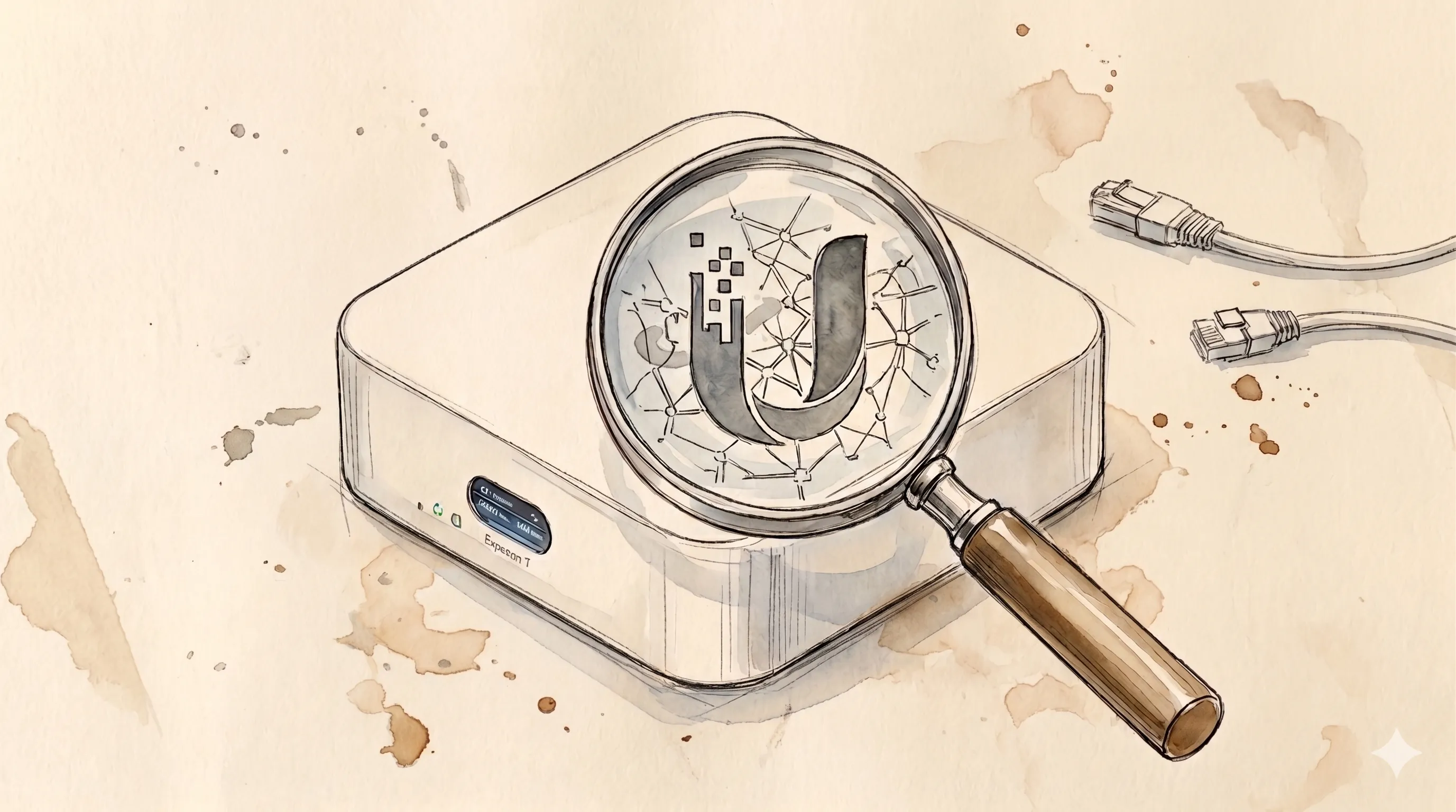
Getting more knowledge about my network transmissions required an investment. My existing router was extremely basic and couldn’t do any work itself. It also didn’t support port mirroring, which would allow me to send a copy of all my traffic to the pi for logging. I needed an upgrade.
On the advice of a family member, I picked up a Ubiquiti UX7, which does Deep Packet Inspection (DPI) natively. This gave me exciting new data about what was moving around my network. Not only did I have transmission destinations and timings, but I now know how much data was being sent. Most importantly, I was introduced to the idea of a network signature. Ubiquiti maintains a database of signatures - what certain app traffic looks like on the wire - and maps the traffic to those signatures, allowing me to see “here’s how much traffic Slack, Reddit or YouTube is sending around”. I couldn’t use Ubiquiti’s signatures themselves, but I could apply a similar idea myself.
I also wanted to understand what was IN the traffic that was moving across my network. By directing traffic through the pi, I was able to capture the entire contents of my internet traffic using tcpdump into pcap files, which I could open and inspect manually.
It was at this point I realized very quickly that in a family home, capturing the full contents of ALL the internet traffic wasn’t going to work. Between Roblox and YouTube and Netflix around the house, 30 seconds of capture generated 28GB of logs during a weekend afternoon.
Instead of capturing the entire network’s traffic, I settled with just capturing my own laptop’s for now, figuring out how to make that work, and then maybe figuring out the device flood later. The other devices on the network, like the TV or our phones were suspicious candidates for “listening”, but given the volume of traffic, I’d need to focus on one device first, then scale.
Even if I could SEE it all, auditing it was going to be a huge problem. I also realized that I probably didn’t care about INCOMING data, it was more about OUTGOING data, so I started working on a way to focus on connection types that sent payloads out, instead of those that tended to bring stuff in.
Crossing the Streams
The next important step was to get the different data I had available to talk to each other. We had DNS logs, we had surface-level DPI from the UX7, and we had packet inspection, but they weren’t talking to one-another. We needed information synthesis. This is where I started building out the audit structure.

It started as a series of disconnected command line commands to try to link the different sources of information together, identify interesting or suspicious transmissions, and then finds those transmissions in the pcaps and see what’s inside.
There’s a lot of data to be considered - who’s calling? When? Who did they call? How much data was sent? What kind of connection did they use? Was it big enough, long enough or using the right technology to send audio? And if it was, what actually got sent?
Similar to how Ubiquiti does it, I tried to find strategies to identify similar signals, categorize them by source, direction and shape, and then match them together. It started to help with the sheer volume, and to make clear what some of the common patterns were, but the volume was still overwhelming. I was collecting tens or even hundreds of new connections each day, and managing to audit 1-2 each morning before my kids woke up. There was no hope of keeping up with the flood.
And I was hitting one more wall - I couldn’t read most of the contents.
Earn-Lay Encryption-Ey
Most data on the web is now encrypted. If you’ve ever seen HTTPS in front of a web address, that S stands for Secure - or more specifically, encrypted. Instead of just sending information like an envelope with a letter in it, the letter is cryptographically scrambled so that only someone with the key at the other end can decrypt it. And that was 80% of my traffic.
To make matters worse, encrypted traffic has evolved over the years, and a variety of new connection types were frustratingly opaque. These included QUIC, a newer natively encrypted version of the web’s standard HTTP communication, and WebRTC transmissions, specifically designed for audio/video, which is pretty relevant to “are my devices sending my audio to advertisers”. QUIC I could solve. WebRTC not so much.

The traditional vector for decrypting this traffic is called a “Man-in-the-Middle” or MITM - technically, I’d already set up a basic MITM with the pcap files. The pi sat between my computer and the router reading the traffic , but pcap files don’t help me with encrypted traffic. What I really needed was to be able to see through the encryption.
Enter mitmproxy. Installed on the pi, it could unlock the payload of anything that came across the wire - assuming the device had a trusted “key”.
Long ago, you used to be able to install a “key” to decrypt traffic on the MITM itself, but now keys have to be specifically trusted by the device that’s sending data, and so I had to generate my own “key” - a self-signed certificate installed on my Mac that would let the MITM decrypt the traffic.
The problem here was that every device on the network needed to have its own key installed - and many devices won’t really let you. Phones make it hard, TVs and Xboxs make it impossible. As a result, again I chose to focus on my laptop, and leave the payloads from other devices indecipherable for now.
Even with that, there was still traffic I couldn’t decrypt. WebRTC, which is really what you’d use if you were trying to send backdoor audio without being noticed, is encrypted end-to-end by design — mitmproxy can’t touch it. And some connections use Certificate Pinning, which identifies exactly which “Key” it trusts, and won’t let you use your own.
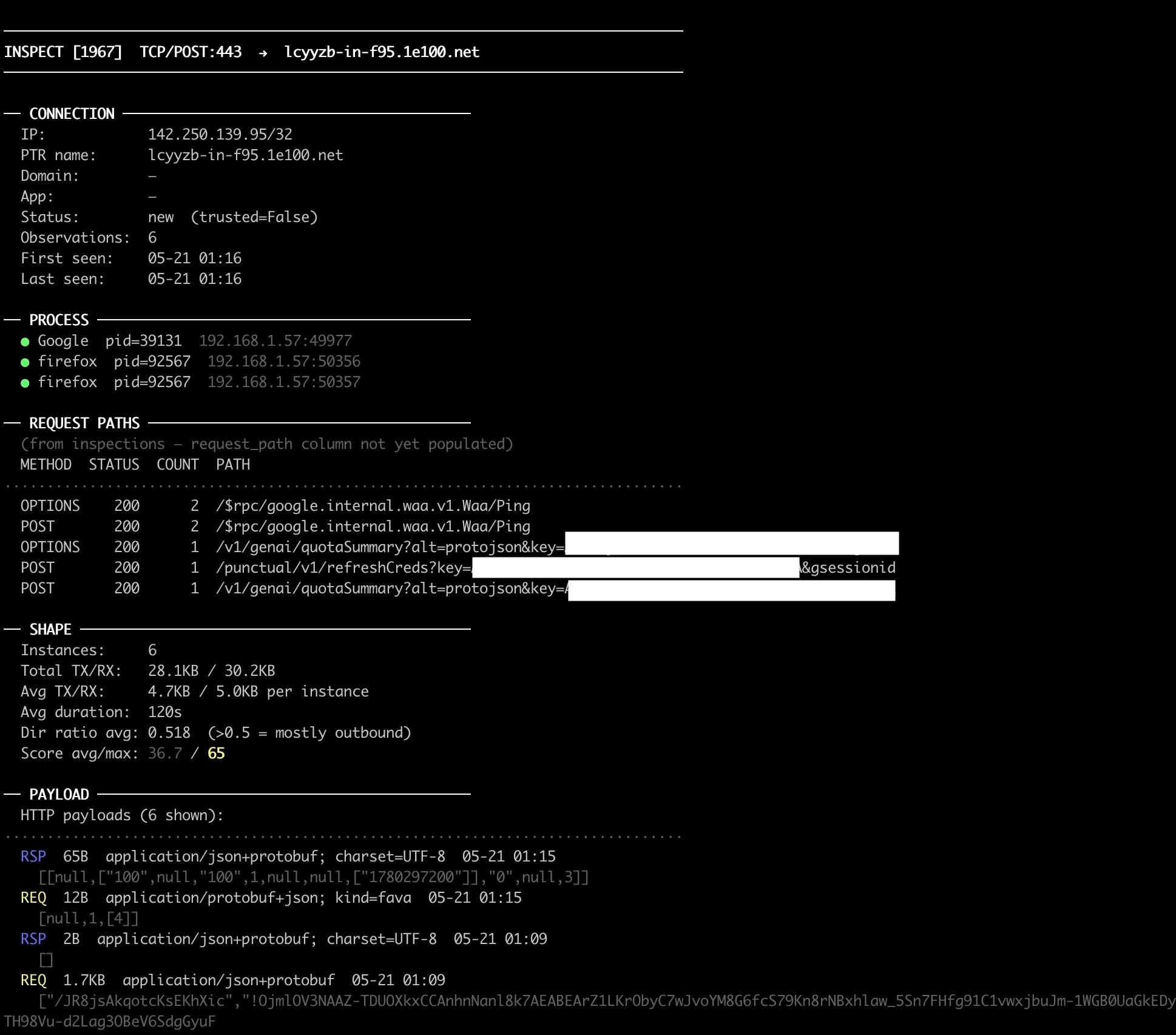
So in the end, I had a much better view of the payloads coming off my Mac - probably 80% or more of the traffic was now visible to me, but the rest wasn’t, and many devices on the network that could be vectors just weren’t reasonable to inspect.
And I still hadn’t solved my volume problem - in fact I’d almost certainly made it worse.
With real visibility into much of the traffic on the network, I was finally in a position to watch it all work. To pull on the thread and see where it went and what showed up at the other end. But it all took so much time.
The queue and inspection tools I’d built were evolving and getting better and more pointed about the information they were providing, and making it easier to find and audit the payloads of these connections, but I was also opening bigger and bigger cans of worms.
I was working through 3-5 connections per morning. My queue had over 1300. I was losing the race. This was meant as an experiment, not a full-time job.
I’d considered it, but think about that for a second. It would solve one privacy concern by handing a different AI a full transcript of everything I do online. And it wouldn’t have taught me anything. It wouldn’t have built anything. The whole point was to understand — not to route around the complexity.
Our Continuing Mission
I want to be clear that this was NOT by any means an effective or efficient way of answering my question - but it was incredibly fun and rekindled an interest in technical projects outside work that I hadn’t persued in a few years.
So far, I’ve inspected only a tiny percentage of the signatures I’ve accumulated. I have not found the smoking gun, and I’ve realized the limits the approach I’ve chosen. The network level isn’t the best place to look for this phenomenon - I need access closer to the device. Does the mic ever turn on without user action? Is there any network traffic after?
It’s also left me with an itch I can’t scratch yet - a blossoming concern around the devices we all carry with us and the complexity and difficulty I’m facing answering the question of “what information are my devices sending about me without my knowledge?”
There’s already going to be a Phase 2 to this project, with a refocused approach around device-level logging and some modifications to the infrastructure I’ve built. I’m not dropping this idea - if anything, I’m digging in.
The first layer of the monitoring stack was a Pi-hole running on a Raspberry Pi 4, set as the network’s DNS resolver.
What it captures: Every DNS lookup made by any device on the network — domain name, IP address, timestamp, and which device made the request.
What it misses: Traffic that uses DNS-over-HTTPS (DoH), which bypasses the local resolver and encrypts the lookup. Many browsers and apps do this by default. Also misses connections that go directly to IP addresses without a DNS lookup.
Setup: Pi-hole runs as the DHCP server; all devices on the network are assigned the Pi’s IP as their DNS server. Query logs are stored locally and queryable via the Pi-hole admin dashboard or the sqlite database.
Useful for identifying the broad landscape of where traffic is going. Not sufficient alone — it’s the starting point, not the answer.
Layer 2 — Ubiquiti UX7 Deep Packet Inspection: The UX7 runs Ubiquiti’s UniFi OS and provides native DPI, mapping traffic flows to application signatures (Slack, Netflix, TikTok, etc.) with byte counts, duration, and device. This gives a high-level picture of what applications are generating how much traffic, without needing to inspect payloads.
Layer 3 — tcpdump via Raspberry Pi: By configuring my laptop to route traffic through the Pi (acting as a gateway), tcpdump captures the raw packet stream into pcap files. These can be opened in Wireshark for manual inspection.
Limitations: Encrypted payloads are still opaque at this layer. You can see that a 2.4MB upload happened at 11:32am to 142.250.80.46, but not what was in it. Payload inspection requires the MITM certificate layer (Layer 4).
The combination of layers 2 and 3 gives you timing, size, destination, and connection type — enough to flag suspicious-looking transmissions for deeper investigation.
The complete four-layer stack, showing where each layer applies and where it drops off. Layers 1 and 2 see every device on the network. Layers 3 and 4 only apply to my Mac — the other devices were too numerous and too locked-down to instrument further.
Layer 1 — DNS logging: Pi-hole intercepts every domain lookup on the network. Fast to set up, broad coverage, but blind to DoH traffic and direct-IP connections.
Layer 2 — Deep packet inspection: The Ubiquiti UX7 classifies traffic by application signature across all devices — Slack, YouTube, TikTok — with byte counts and direction. No payload visibility, but useful for spotting unusual volume or timing on any device.
Layer 3 — Packet capture: Mac traffic routed through the Raspberry Pi, captured raw via tcpdump into pcap files. Everything is visible at the packet level — except the payload of encrypted connections.
Layer 4 — TLS interception: mitmproxy running on the Pi, with a self-signed root certificate trusted by the Mac. Decrypts most HTTPS traffic in transit. Defeated by certificate pinning and WebRTC, which are opaque by design.
What the full stack still can’t see: DoH lookups from other devices, any traffic from the iPhone or TV at the payload level, WebRTC audio and video streams, and anything using certificate pinning. The gaps are not small.